
Most Used AI Tool in 2026: A Practical Guide to Choosing the Right AI Software
With hundreds of new tools launching every week, a real guide to choosing the right AI software matters more than a list of the most popular names. This is a practical, no-hype look at which AI tools actually earn a spot in your workflow in 2026.

Best AI Tools in 2026: A Practical Guide to Choosing the Right AI Software
There are more AI tools available right now than any single person could reasonably test, and new ones launch every week. That abundance sounds like a good problem to have, until you’re the one trying to pick a writing assistant, a coding copilot, and an automation platform for your team, and every listicle you open recommends a slightly different set of names for reasons that are never quite explained. More tools does not mean better outcomes. In many cases it means more subscriptions, more logins, and more time spent evaluating software instead of doing the work that software was supposed to speed up.
This guide takes a different approach. Rather than ranking twenty tools by popularity, it organizes the best AI tools in 2026 around the problems people are actually trying to solve, explains who each tool fits and who it doesn’t, and gives you a repeatable framework for testing any new AI product before you commit budget or workflow time to it. Tools and pricing change quickly in this category, so treat the specifics here as a starting point for your own evaluation rather than a final verdict.
What Makes an AI Tool Worth Using in 2026?
Before comparing individual products, it helps to agree on what “good” actually means, because the criteria that mattered in the early days of generative AI aren’t the ones that matter now. In 2025 and 2026, most serious tools clear a baseline of output quality. The differences that actually affect whether a tool earns a permanent place in your workflow are more practical.
Reliability and consistency matter more than a single impressive demo. A tool that produces a brilliant result once and a mediocre one the next three times isn’t dependable enough to build a process around.
Integrations and workflow fit decide whether a tool gets used daily or opened once a month. An AI writing assistant that can’t plug into your CMS, or a coding agent that doesn’t understand your existing repository, creates friction that outweighs the quality of its output.
Privacy and data handling deserve real scrutiny, especially for teams working with client data, source code, or unpublished material. Where does your input go, is it used to train future models, and can you delete it later?
Pricing relative to value, not price alone. A $200-a-month tool that saves ten hours a week is cheaper than a free tool that produces work your team has to redo.
Learning curve and team collaboration shape adoption. The most capable tool in a category is worthless if only one person on the team knows how to use it well.
Scalability and automation depth matter once a workflow moves from “one person experimenting” to “this is now how the team operates.”
Keep these criteria in mind as you read the recommendations below, because the right answer genuinely depends on which of these factors your situation prioritizes.
The Best AI Tools in 2026 by Use Case
AI Writing and Content Creation
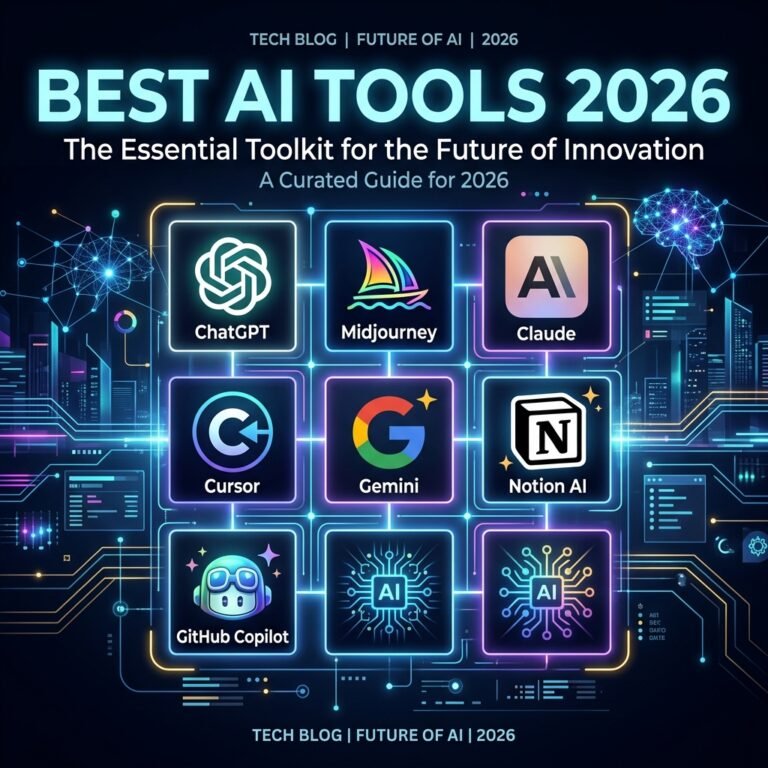
Writing tools have split into distinct categories rather than one undifferentiated pile of “AI writers.” General-purpose assistants like Claude and ChatGPT remain the default starting point for most people, and both are commonly used directly for first drafts, outlines, and editing. Claude tends to be favored by writers and editorial teams for prose that reads naturally with less rewriting, while ChatGPT is often preferred for research-heavy or highly structured pieces.
Best for: Teams and individuals who want flexible, general-purpose drafting without committing to a specialized platform. Why it stands out: No steep learning curve, and the same tool handles outlines, drafts, and edits. Ideal user: Solo writers, marketers, and small teams without a dedicated content operations stack. Important limitation: General assistants don’t natively track brand voice guidelines or content performance data the way specialized platforms do. Where it fits in a workflow: Early-stage drafting and editing, before a piece moves to SEO optimization or brand-voice review. Best alternative: Purpose-built platforms like Jasper, which layer templates, brand-voice training, and team collaboration on top of an underlying model, at a meaningfully higher price point.
If your content operation is large enough that consistency across dozens of writers matters more than flexibility, a structured platform earns its higher cost. If you’re a smaller team or an individual, a general assistant paired with a strong editing pass will usually get you there faster.
AI Research and Information Analysis
Research is one of the categories where picking the wrong tool actually costs you accuracy, not just time. Perplexity has become the default choice for fast, cited web research, because every answer links back to a source you can actually check, which matters enormously given how confidently AI tools can state incorrect information.
Best for: Fact-finding that needs a paper trail. Why it stands out: Inline citations let you verify claims instead of trusting a polished summary. Ideal user: Journalists, analysts, students, and anyone who needs to defend their sources later. Important limitation: It’s built for open-web synthesis, not for reasoning deeply over a closed set of documents you already trust. Where it fits in a workflow: The discovery stage, before deeper analysis begins. Best alternative: For closed-corpus work, such as reading through interview transcripts or a folder of internal documents, tools like NotebookLM are better suited, since they ground every answer in material you’ve uploaded rather than the open web.
For synthesis and structured writing after the research is gathered, a long-context reasoning assistant like Claude or ChatGPT becomes more useful than a citation-focused search tool. The two jobs, finding information and making sense of it, are genuinely different, and the tools that excel at each are usually different too.
AI Coding and Development
Coding is the category that has changed the most in the past year, mostly because “AI coding assistant” now covers several genuinely different products. IDE-native tools like Cursor and GitHub Copilot integrate directly into your editor and excel at day-to-day autocomplete and in-context suggestions. Terminal-based agentic tools like Claude Code are built for a different job: handing off a complete task, such as “add rate limiting to this API and update the tests,” and letting the agent plan, write, run, and iterate with less hand-holding.
Best for: Cursor and Copilot for continuous in-editor development; Claude Code for autonomous, multi-file engineering tasks. Why it stands out: Agent-mode tools can now read a codebase, make a plan, execute changes, and run tests in a loop rather than producing one-shot suggestions. Ideal user: Any professional developer, though the specific tool depends on whether your bottleneck is line-by-line speed or larger structural work. Important limitation: Trust in AI-generated code output still lags adoption. Code review, testing, and human sign-off remain necessary regardless of which assistant you use. Where it fits in a workflow: Copilot or Cursor for continuous work inside the IDE; an agentic tool for well-scoped, self-contained tasks you can hand off and review afterward. Best alternative: Many development teams now run two tools together rather than picking one, using an IDE assistant for daily work and an agentic tool for larger refactors.
AI Image and Video Generation
Visual generation tools improved quickly, but the category also had real churn: some tools you’ll see referenced in older articles have already been discontinued or sunset, which is a useful reminder to verify a tool is still actively supported before building a workflow around it. Midjourney remains a common choice for stylized, high-aesthetic image output, while tools like Runway and Google’s Veo models are frequently used for video, particularly when native synchronized audio matters.
Best for: Midjourney for illustrative and stylized imagery; Runway or Veo for short-form video with editing tools built around the generation step. Why it stands out: Native audio generation alongside video removes a production step that used to require separate tools entirely. Ideal user: Marketing teams, content creators, and agencies producing short promotional or social video at volume. Important limitation: Output consistency across multiple generations, especially for recurring characters or brand assets, is still an active weak point across the category. Where it fits in a workflow: Concept and asset generation, feeding into a traditional editing tool for final polish. Best alternative: For teams that need editing, brand-asset management, and generation in one place rather than juggling separate tools, all-in-one creative platforms are worth evaluating even if they cost more than a single-purpose generator.
AI Productivity, Meetings, and Automation
This category covers three related but distinct jobs: getting work done inside the tools you already use, capturing and summarizing meetings, and automating multi-step processes.
For meeting notes, tools like Granola, Otter, and Fireflies capture calls and turn them into structured summaries and action items, saving the tedious work of manual note-taking. For automation, Zapier, Make, and n8n now all offer some form of AI-agent capability layered on top of their existing workflow-builder products, but they differ substantially in billing model and technical flexibility. Zapier bills per completed action and offers the broadest library of app integrations, which makes it approachable for non-technical teams. n8n, which can be self-hosted, appeals more to technical teams that want deeper control over agent memory and logic, often at a meaningfully lower cost per workflow execution at scale.
Best for: Zapier for non-technical teams wanting the widest integration coverage; n8n for technical teams that want cost control and deeper customization; Granola or Otter for anyone who spends significant time in meetings. Why it stands out: Automation platforms now handle branching logic and multi-step reasoning, not just simple trigger-and-action chains. Ideal user: Operations teams, agencies managing repetitive client workflows, and anyone drowning in meeting notes. Important limitation: Per-task and per-operation billing models can become expensive fast once a workflow runs frequently; read the pricing structure closely before scaling a workflow up. Where it fits in a workflow: Automation platforms sit behind the scenes, connecting the tools you already use; meeting tools sit alongside your calendar and calling app. Best alternative: Make sits between Zapier and n8n on both cost and technical complexity, and is worth a look for teams that find Zapier too limited but n8n too technical.
AI Marketing, Sales, and Customer Support
Marketing and sales teams have generally adopted AI in two forms: content and campaign assistants built into existing marketing platforms, and AI-driven customer support tools that can resolve routine tickets without human intervention. Rather than naming a single winner here, the honest answer is that the best fit depends heavily on which platform your team already lives in, since most of the value comes from how deeply the AI features integrate with your existing CRM, help desk, or marketing automation tool. Evaluate the AI features of the platform you’re already using before adding a separate point solution, since integration depth tends to matter more than raw model quality in this category.
The Practical Decision Framework
With so many categories and options, the fastest way to choose well is to work through a short, structured process rather than reading one more “top tools” list.
Step 1 — Define the task. Be specific. “I want to write better blog posts” is too vague to test against. “I want to cut first-draft time on 1,500-word posts in half” is testable.
Step 2 — Measure the current workflow. Know how much time or money the existing process costs before you introduce a new tool, or you won’t be able to tell if it actually helped.
Step 3 — Test output quality on your real work. Don’t judge a tool by a demo prompt. Run it against the actual kind of task you need it for.
Step 4 — Check workflow compatibility. Does it integrate with the software your team already uses, or will it become an isolated extra step nobody remembers to use?
Step 5 — Evaluate privacy and control. Understand what data the tool receives, whether it’s used for further model training, and how to remove it later.
Step 6 — Calculate real value. Compare the time or quality gain against the subscription cost, honestly, including the time spent learning and maintaining the new process.
Step 7 — Keep human oversight built in. Decide upfront where a person reviews, fact-checks, or approves AI output before it goes out the door. Skipping this step is where most AI-adoption mistakes happen.
Comparison at a Glance
| Tool | Best for | Main strength | Best suited to | Watch out for |
|---|---|---|---|---|
| Claude / ChatGPT | General writing and reasoning | Flexibility across tasks | Individuals and small teams | No built-in brand-voice or performance tracking |
| Perplexity | Cited web research | Verifiable, sourced answers | Analysts, journalists, researchers | Weaker for closed-document analysis |
| Cursor / GitHub Copilot | In-editor coding | Continuous, contextual suggestions | Developers writing daily | Still requires human code review |
| Claude Code | Autonomous coding tasks | Multi-file, agentic execution | Well-scoped engineering tasks | Best used alongside, not instead of, review |
| Midjourney / Runway / Veo | Image and video generation | High visual and audio quality | Marketing and creative teams | Consistency across generations still varies |
| Zapier / n8n / Make | Workflow automation | Connecting existing tools with AI logic | Ops teams and agencies | Billing models differ significantly at scale |
Need Help Turning AI Tools Into a Working Content System?
Picking the right individual tools is only one part of the equation. The harder, and more valuable, work is building a repeatable system around them: a defined strategy, keyword and topic research, structured content production, human editorial review, publishing, and measurement that tells you what’s actually working. A pile of disconnected AI subscriptions rarely adds up to that on its own.
If you’re past the point of experimenting with individual tools and want help designing a content or marketing workflow that uses AI deliberately rather than randomly, our team works with businesses on exactly this: AI-assisted content strategy, SEO content writing, semantic optimization, and the editorial process that keeps human judgment in the loop. It’s a natural next step once you’ve settled on the tools themselves.
Frequently Asked Questions
What are the best AI tools in 2026? It depends on the task. Claude and ChatGPT lead for general writing and reasoning, Perplexity for cited research, Cursor and Claude Code for coding, and Midjourney or Runway for visual content. There’s no single best tool across every category.
Which AI tool is best for content creation? General assistants like Claude and ChatGPT cover most drafting needs. Larger content teams that need brand-voice consistency and workflow features across many writers often add a specialized platform on top.
What is the best AI tool for business? There isn’t one universal answer. The right starting point is usually one general-purpose assistant plus a specialist tool tied to your team’s specific bottleneck, whether that’s research, coding, meetings, or automation.
Are AI tools worth paying for? Often, yes, but only if you can point to a specific time or cost saving that justifies the subscription. Test a tool against your actual work before committing to an annual plan.
How do I choose the right AI software? Use a structured evaluation: define the task, measure your current process, test the tool on real work, check integrations, review data-privacy terms, and calculate the actual value before adopting it permanently.
Can AI tools replace human content writers? Not reliably for anything meant to reflect real expertise, judgment, or brand voice. Most effective workflows use AI to accelerate drafting and research while keeping a human responsible for accuracy, tone, and final approval.
What should businesses consider before adopting AI Most Used AI Tool in 2026? Data privacy, integration with existing tools, the real cost at scale (not just the advertised price), and a clear point in the workflow where a person reviews the output before it’s published or sent.
Key Takeaways: Choosing the Right AI Software
A good guide to choosing the right AI software should save you from paying for tools you’ll abandon in a month. Once you’ve picked your stack, see our guide on connecting those tools with an AI automation workflow.



Good article 💯
Thanks for your good review.. we are pleasure to serve you best ever.